
In the field01
Posting waits until you are back at a desk
Screens built for a monitor do not work on a phone, so the deal gets entered tonight, from memory, if it gets entered.
The people behind Vora ran on a legacy agency CRM for years. Vora is what we built to replace it, and we move agencies off those systems as part of onboarding.
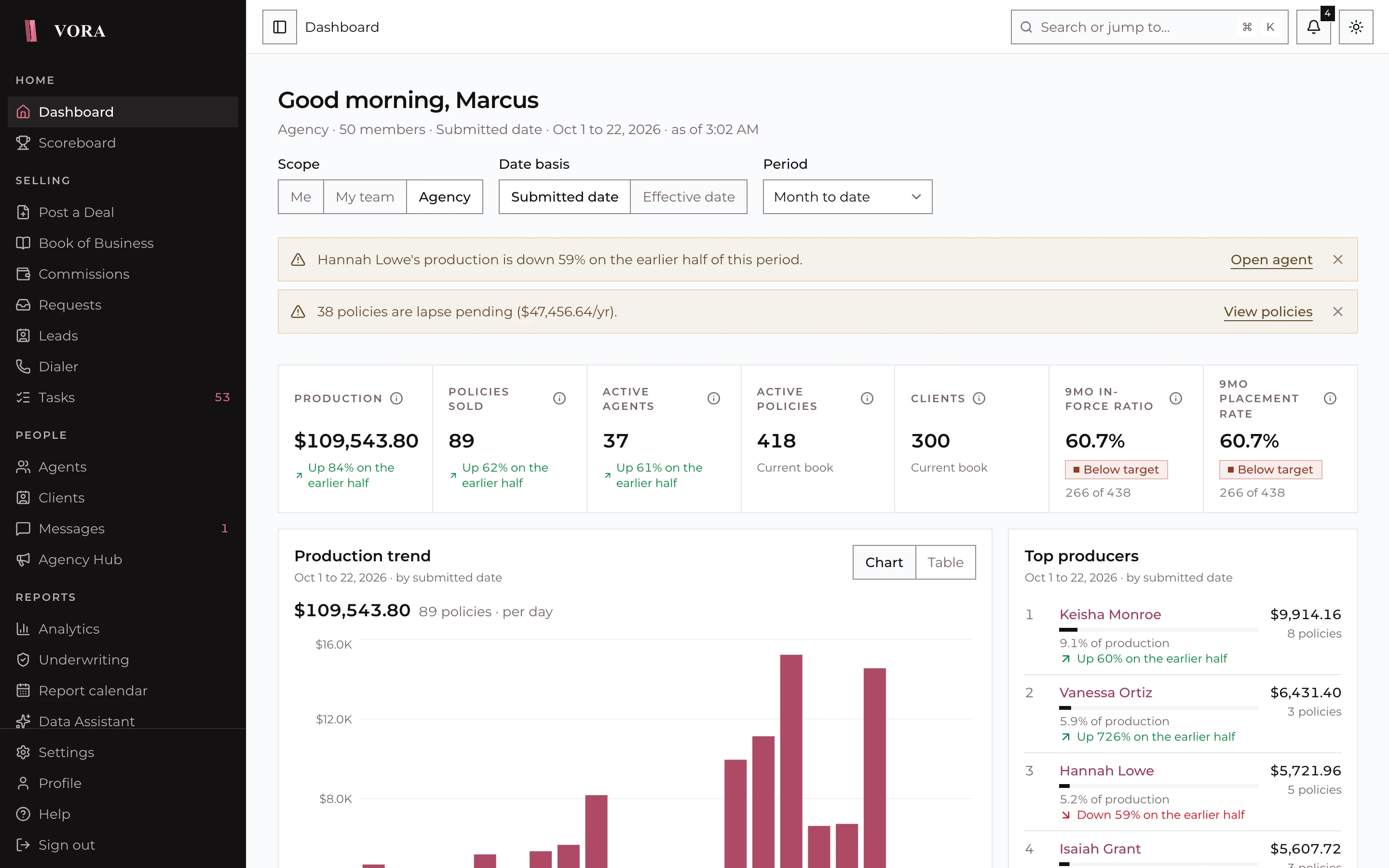
Drag the handle. Left: an example of legacy agency CRMs. Right: a real Vora screen with example data.
The kinds of things agencies work around on older systems, and the reasons we built our own.
Screens built for a monitor do not work on a phone, so the deal gets entered tonight, from memory, if it gets entered.
Each carrier's wording, stored as-is. Agents ask the office what a status means, and the office asks the carrier.
A number appears with no way to see the grid level, the override or the reason. Disputes go to email.
Two logins, two records of the same lead and compliance reports pulled from a system that does not know the CRM exists.
Topic by topic, what it typically looks like today and what changes on Vora.
No report request, no export to a spreadsheet. Pick a question and the answer arrives with its chart.
Ask about your agency
Read-only lookups. No raw personal data is sent, and nothing is stored.
top_producers(period: mtd, limit: 5)
Keisha Monroe leads with $9.9k in submitted annual premium, followed by Vanessa Ortiz and Hannah Lowe.
Example answers. The lookup shown is the one the assistant called.
We do the moving. Your agency keeps selling while it happens.
Policies, clients and carrier reports, in whatever shape your current system produces.
Uplines, positions and the commission grid, checked against a real statement.
Invites or a join code, two-factor on first sign in, and NIPR licenses loaded from each agent's report.
We run this migration with every agency we onboard. Book a demo, tell us what you are on today and we will plan yours.